More on Fast Frames

Yay another post! Today has been a crazy day! Some days I get sucked in to Facebook and then it takes me all day to keep up with all the comments and replies. Today has been one of those days. I managed to monogram a backpack (not the one in this post) and edit these pics for a new blog post on Fast Frames. I also have a great new post on Monogram Wizard Plus but will save that one for tomorrow or another day this week.

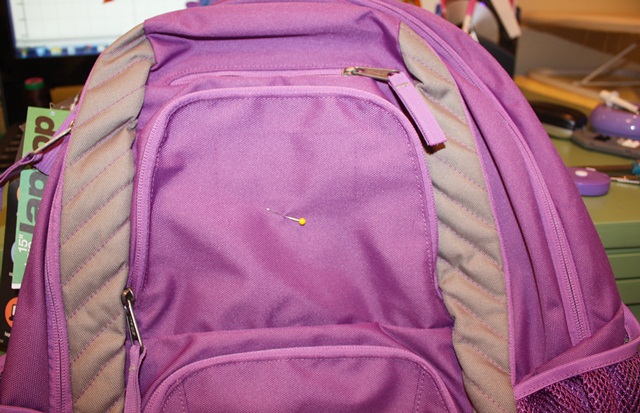
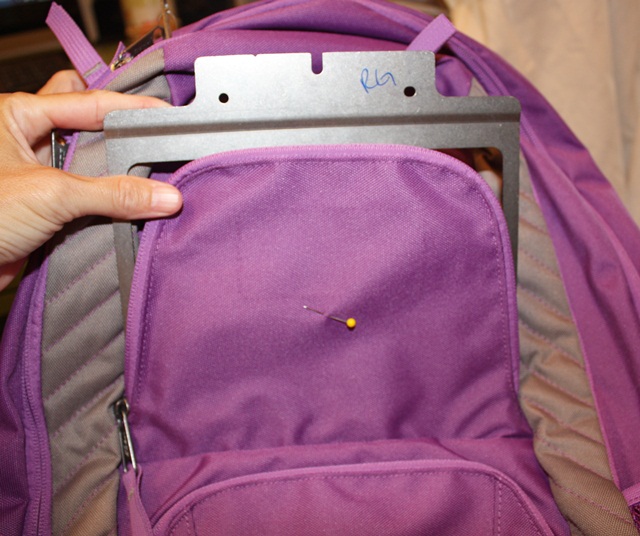
This, my friends, is a backpack (duh). You may be able to tell that my friend who sent this to me to monogram took the tag off (right above my straight pin). Her daughter is going in to 4th grade (I think??) so she said do her name, and that she’s in to peace signs! Sounds like a call for MINI DESIGNS! First I pinned my center of the top part of the front pocket (flap, we’ll call it). 
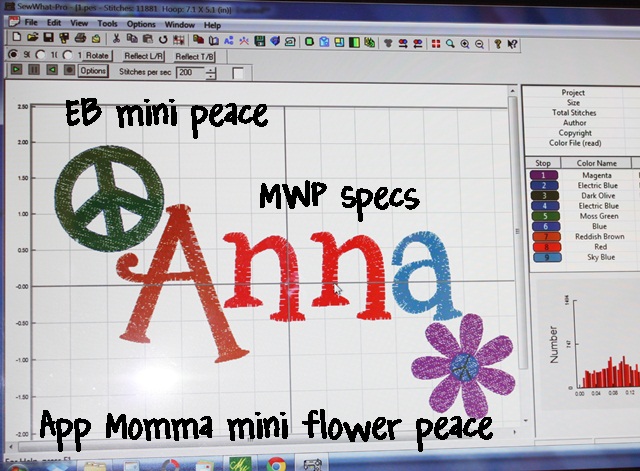
 I got my name together merged with a couple of cute mini designs. The peace sign is from Embroidery-Boutique and the Flower is from Applique Momma (it also has a peace sign in the middle). I used Monogram Wizard Plus Specs font. I love the font and it’s great for initials, but names are tricky. It spaces out rather strangely. I will explain all that in my next MWP post this week, but in the meantime you can see that I layered this name together IN Monogram Wizard Plus so that it all lined up and/or was spaced correctly. Layer 1 – A, Layer 2 – nn, Layer 3 – a. I then saved it and merged it in to my Sew What Pro. I added the mini designs, centered the whole thing and then saved it to my machine. I saved this in a 5×7 hoop space but will use my Fast Frames.
Now it’s time to pick out the right sized Fast Frame. This one measures 7″ x 8″.
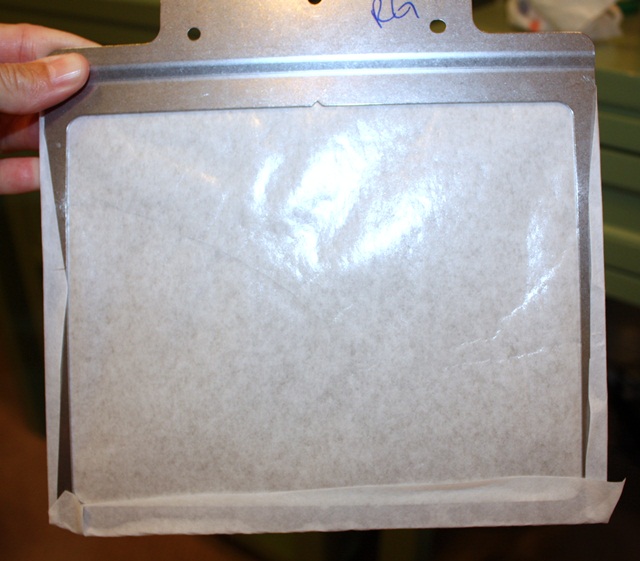
I very loosely cut my sticky stabilizer (from Sewingmachine.com). You want to cut it bigger than your frame so that it’ll overlap the edges of your frame.
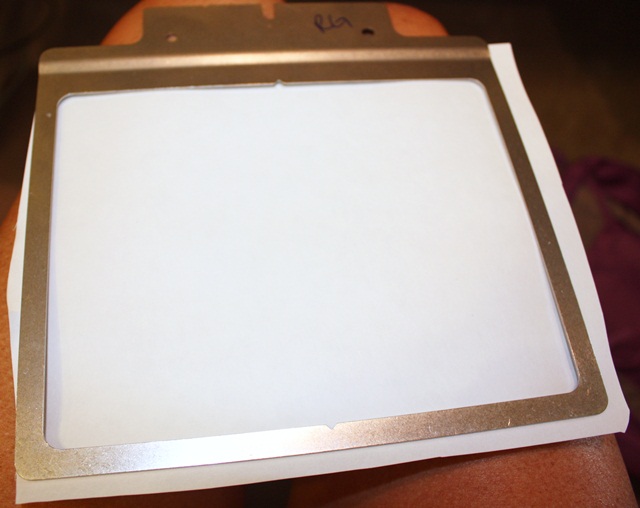
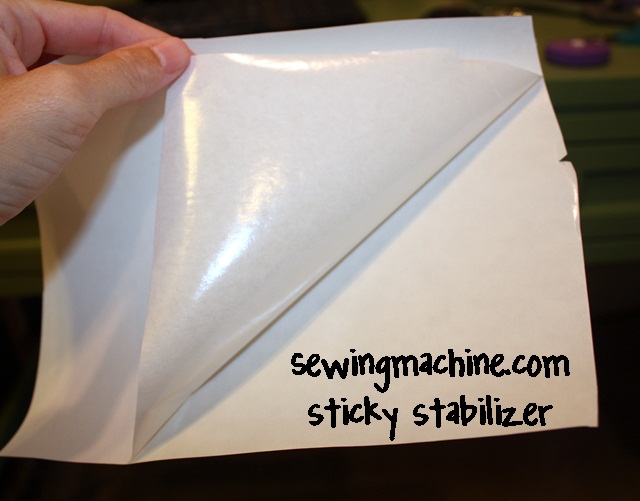
Peel the paper side off to reveal the sticky side.
 Stick it to the bottom side of your frame (see photo down below which illustrates a little better what the “bottom” is). Hint: Your frame should slope down from where you attach it.
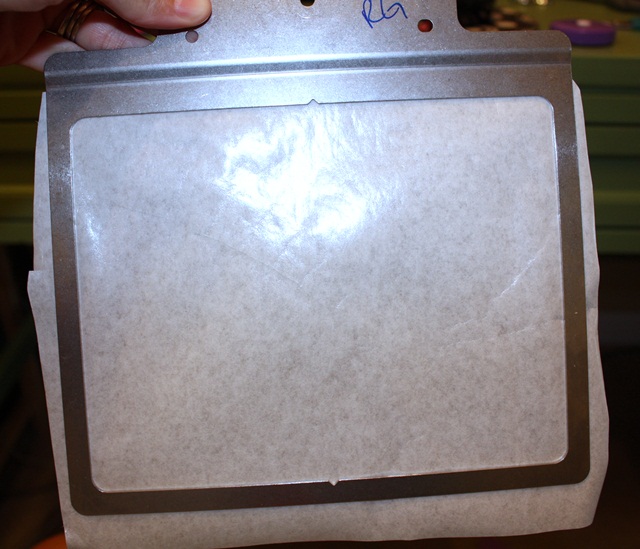
Wrap the edges around the frame. Doesn’t have to be all neat and perfect.
I then “stick” the backpack flap to the sticky paper on my fast frame. I usually line the top of the flap up with the top of the frame and then pin it in place with straight pins. This also shows me my borders. Since multi needle machines don’t technically recognize fast frames, you have to check the outer border of your design to make sure the needle won’t hit the edges of your frame.
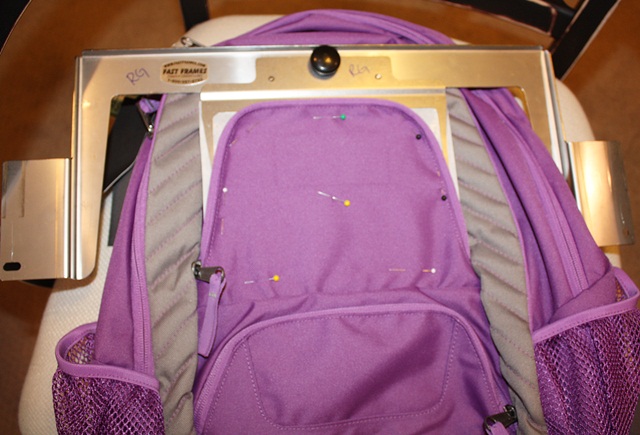
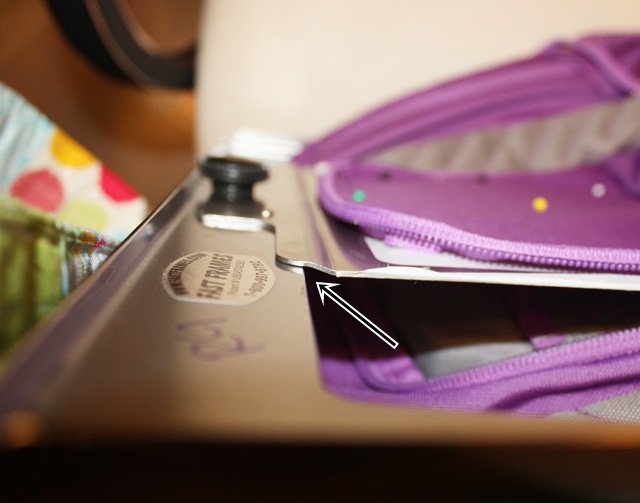
Here is how your fast frame should attach to the frame ~ it slopes down. That’s how you know what the bottom of your fast frame is to attach the sticky paper (believe me, I have stuck it on there upside down and backwards).
 Blah blah blah sew the design AFTER testing your borders and here’s the outcome! I use FILL STITCH instead of satin stitch. Since this is a backpack I wouldn’t want the satin stitch to get snagged or pulled.
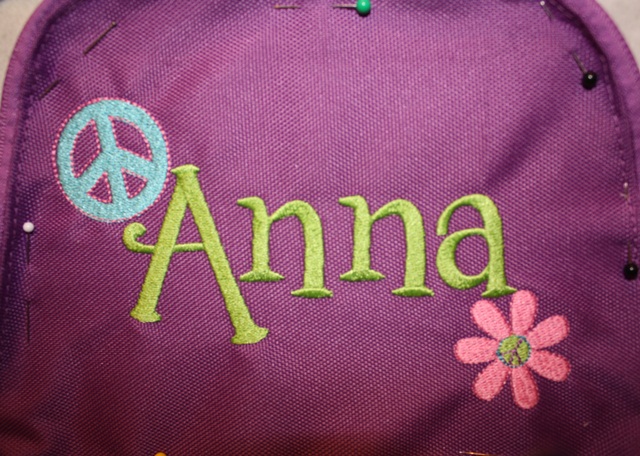
 I peel the sticky stabilizer/fast frame off the flap and as you can see it leaves a little inside the letters. You can peel that away easily. Get under it w/ scissors if need be. The sewingmachine.com sticky stabilizer is just sticky enough and comes off great!
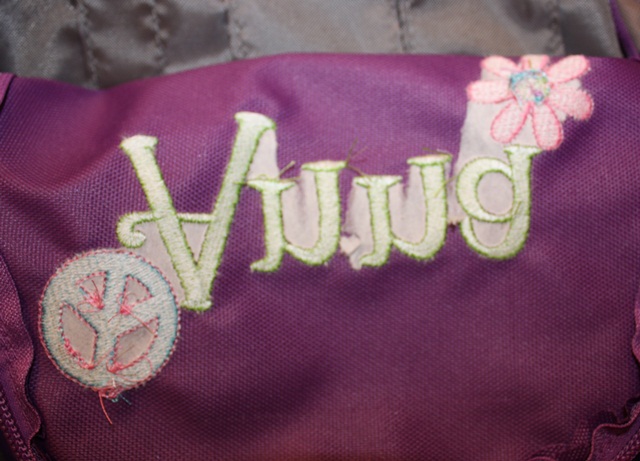
I then peel the sticky paper off my frame. As you can see it comes off very easily with no residue left on the frame.
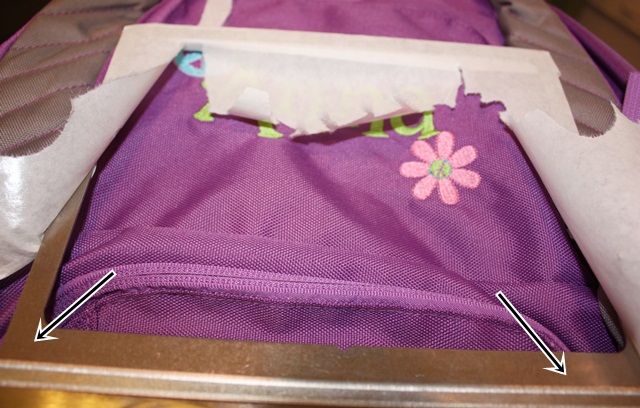
Here is my finished backpack!
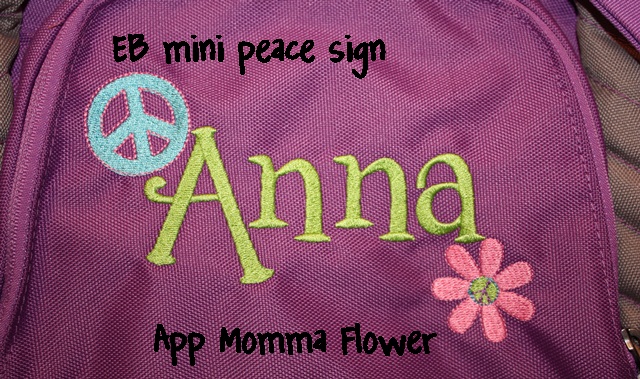
Again, stay tuned for my next post on another Monogram Wizard Plus trick.

Followup to my last post on MWP ~ here is a link to the Facebook Page – click HERE. As far as the Yahoo Group I mentioned… I am not a member of it. I just heard about it on the Facebook page. Evidently it’s a private closed group and they are currently not accepting new members! Check out the Facebook page! So far I’ve seen a few great tips on there!

We are celebrating 3 years of Applique Cafe, so all designs are 1/2 off through next Wednesday, August 15th!
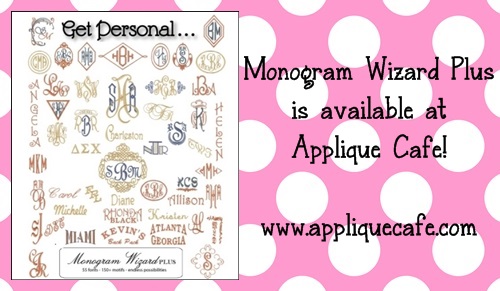


Monogram Wizard Plus

mwp

Happy-less-than-2-weeks-til-school-starts! 2 weeks from yesterday we’ll be up again by 6:30 and on the interstate by 7:15! I have to say I really enjoy the laziness of summer. I LOVE to sleep in! Today when I got up I found Mallory eating a wonderful breakfast she had prepared all by her 4 year old self (yogurt and “granilla” as she calls it). I must admit…yesterday there was a small teeny tiny part of me that was ready for school to start back. I will retract that statement come August 16th and it was just a fleeting thought as my kids were bugging about going outside in the 95 degree heat or doing something for the 28th time. I unpacked the school uniforms a little while ago to see what of Browder’s might fit G-man for Kindergarten. I can’t believe I will have 2 in “real school”!!! SCHOOL!!!!

Monogram Wizard Plus ~ you all probably know I have it, love it, encourage it, etc. When I bought my machine back in 2007, I quickly learned that the 5 fonts that come on your standard embroidery machine are simply not enough. I chose Monogram Wizard Plus and have never looked back! It comes with like 55 or more fonts and I purchased several of the extra Alpha Paks along the way. Now they have the online store where you can purchase and download fonts to use in MWP instantly (they also have sales so don’t let the prices scare you). There are LOTS of programs out there. I’m not saying MWP is the only way to go. All I can say is that I love it and I suggest you take advantage of the trial offer if you are considering it, THEN you can decide! Check out Needleheads for any and all MWP info. p.s. Master Circle is a must have MWP font!

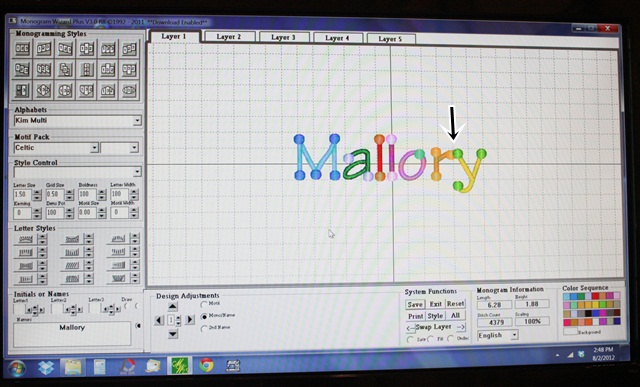
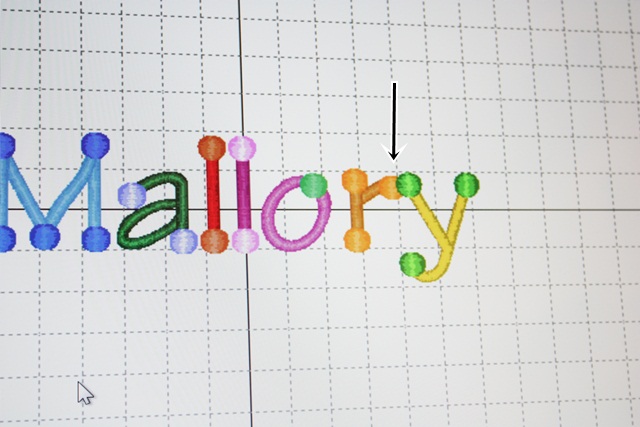
Now….. I’m in several “groups” on Facebook and one is for MWP users. One of the members of the group shared the neatest trick so I had to pass the tip along! If you have MWP, then you may have experienced this with certain names/letters/fonts. You type your name in, and say the first letter is 1″ from the rest of the name (like M  allory). Or, as you can see below, for some reason the “r” and “y” overlap for no apparent reason. There is a trick!!!!!! I used to try to break the name in to layers so that I could control how it all lines up, but not anymore!!

 ?? Not sure what makes this happen??

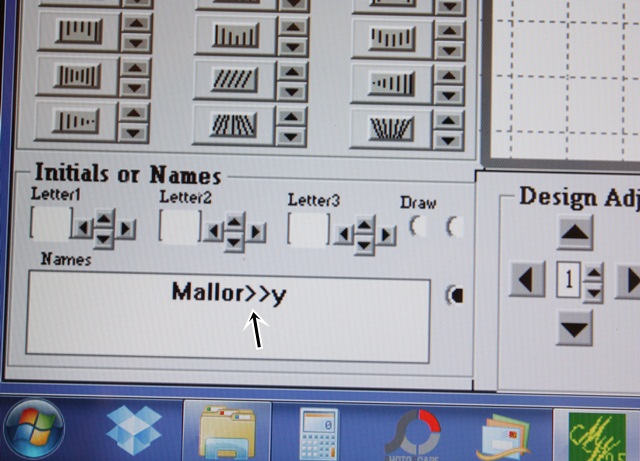
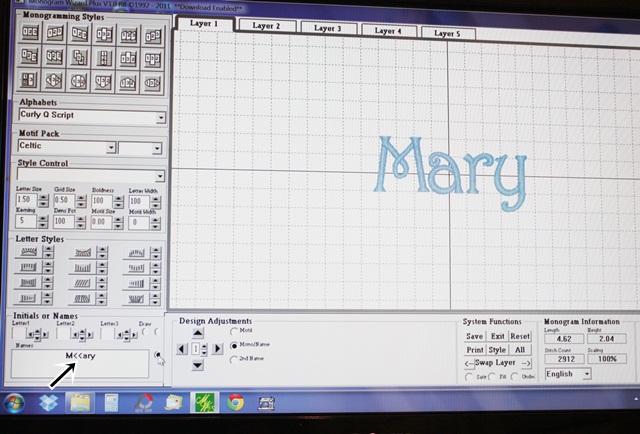
 You can use the Kerning feature to move ALL of the letters closer together or farther apart from one another. BUT, if it’s just 2 letters that aren’t coming out right or if your first letter (of the name) is too far from the rest of the name, then simply type in “>”, “>>”, “>>>” (however many you need ~ play around w/ it) or “<“, “<<“, “<<<” etc. and then “draw” the name again. So I entered in a couple of “>>” (right above your right ALT key) in my name between the r and y.

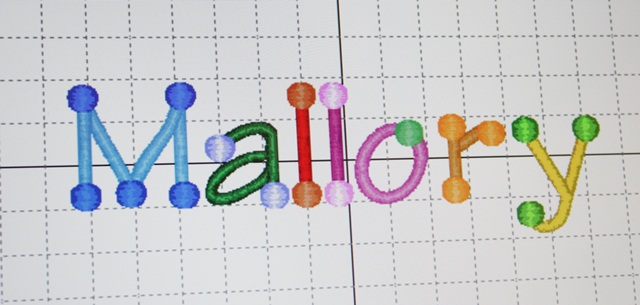
As you can see it spaced the r and y correctly!

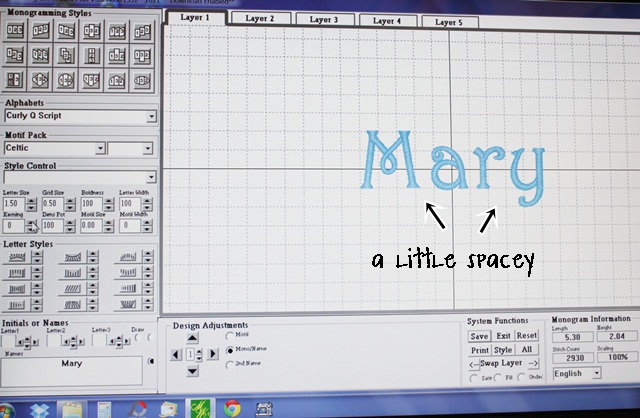
 I tried to find a better example of how sometimes, for example, the M in Mary is spaced too much away from the “ary” (M  ary). I couldn’t find an example of course. This is regular “Mary” ~ Letter Size 1.50″ – everything is default and normal. It’s a little spacey, so in this case I changed my Kerning to move ALL of the letters closer together.

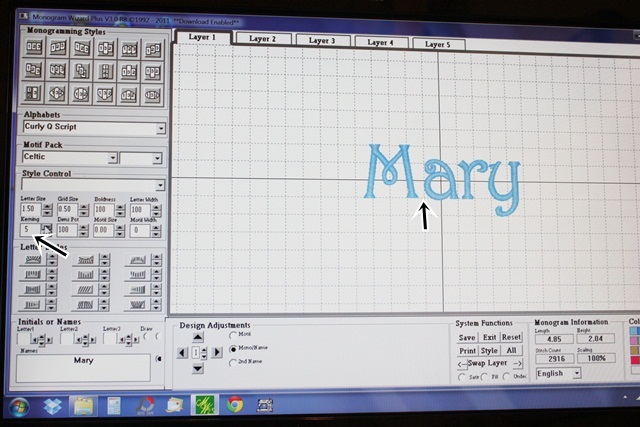
 This is after setting my Kerning to 5.  (Kerning is the process of adjusting the spacing between characters in a font. Kerning adjusts the space between individual letters.) As you can see all of the letters are closer together. I can also move the M a little closer to the ary with my “<<” trick.

 As you can see below it is spaced just about right. I could have increased my Kerning another point or two, but most likely the a, r and y would be overlapping or too close together. So, using the < trick worked in this case.

 I hope this makes sense!! It’s a great trick for names. As far as initials, you can move them around with the arrows beside each letter (on top of where I entered my name) (see Letter1, Letter2, Letter3 for initials – to the right of each are arrows to adjust your initials as needed).

Again, if you are interested in Monogram Wizard Plus, download the 30 day trial and try it out. Also, check out FAQ on their website and do your research. There are also groups on Yahoo and Facebook.

Thank you again to AWB for posting this tip on the Facebook Group!

Feeling Crafty!

I recently “ran out” of my blog hosting services from when I switched over to WordPress (from my old Blogger blog). Meaning I paid a big fee to have it converted over which included a year or so of hosting. I am now paying monthly, and I HAVE GOT to start posting more to justify that money. With that being said, I vow to do better! School starts in a couple of weeks and this year I will have 4 mornings free (a few hours each morning) with the 5th morning having only 1 child at home, so I *think* I will have more free time (ha ha we know how that goes).

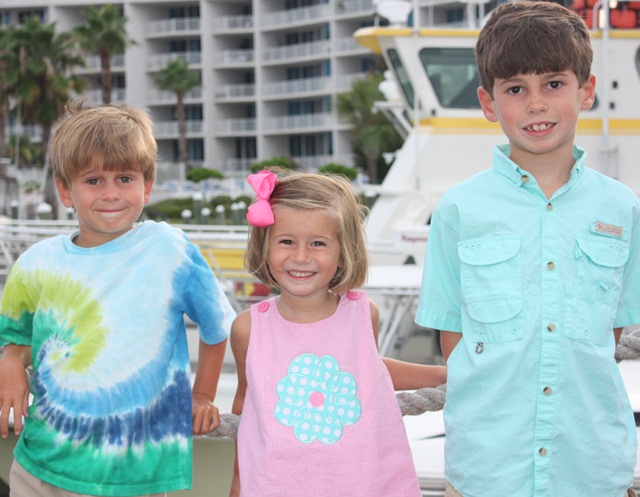
Last week was our last family vacation of the summer. We spent the week in Perdido, FL and for the most part spent some fun time with the whole Gulledge family (Jeff’s parents, sister and bro and their spouses and the kids’ cousins). It was so much fun! When I say “for the most part” I mean that we got a couple of days w/ Jeff’s bro and his new wife and several days with Jeff’s parents. We stayed the whole week. Here’s a pic of the kids on our last night. Mallory has on one of my favorite Applique Cafe designs ~ Loopy Flower. Garrison is about to start Kindergarten while Mallory will do Pre-K 4 and Browder is going in to 3rd grade (sob sob where did my babies go?)

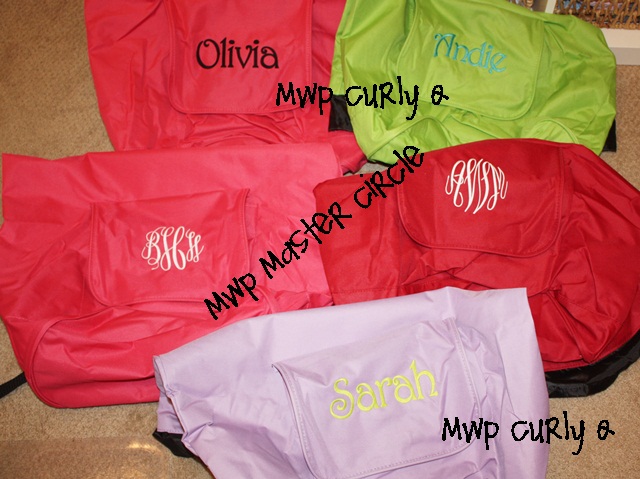
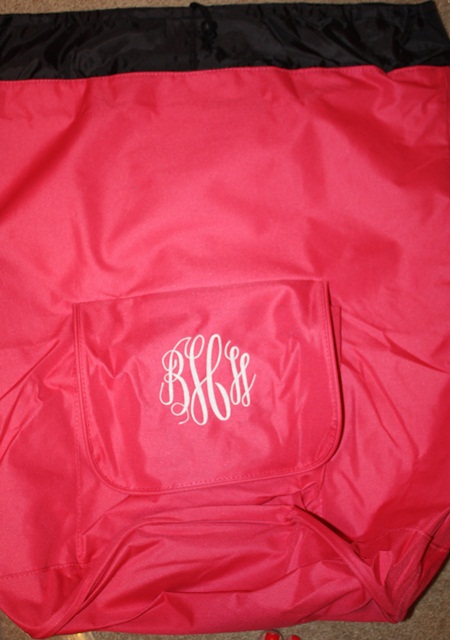
 Here is what I have been doing the past couple of days. Wednesday afternoon I met my mom half way and she took all 3 kids for a few days so that Jeff & I could have a “break” (which translates to me monogramming for 2 days). Yesterday I was super lonely. Today Jeff & I met for lunch and then I ran several much-needed errands, which was nice to be able to do ALONE! Not to mention I treated myself to my last pedi of the summer. Anyway, these are super duper cute backpack laundry bags brought to me (graduation gifts) to monogram. My customer found these at Marshalls (try TJ Maxx?) and I think they were like $8.99/each. I know Bed Bath and Beyond sells them too but maybe only in black?

Drawstring at the top. I took these photos quickly before she came to pick them up yesterday so sorry they aren’t great.

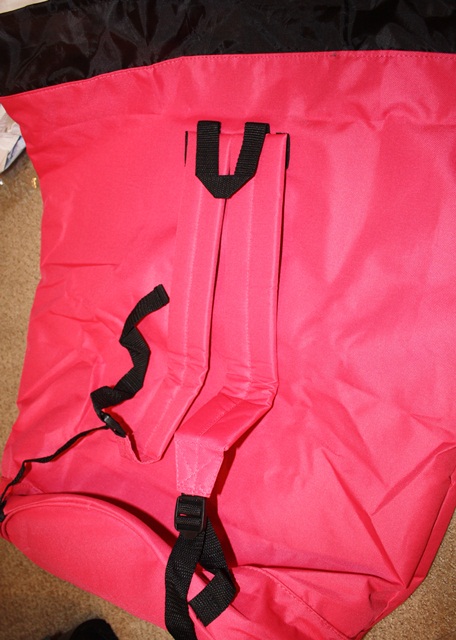
Backpack ~ great for toting to the car to head home from college to wash all those clothes. I didn’t measure these but they were nice and big!

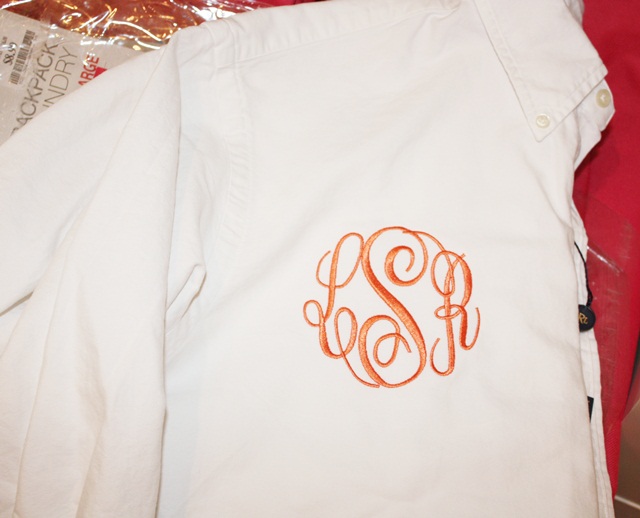
 I also monogrammed this long sleeve polo for my customer’s daughter. I have seen these a lot as bridesmaids gifts ~ the girls wear them on the day of the wedding (button down shirt is usually a plus). I have done several of these for the same customer for her daughters and I think they are cute! On a couple of them I monogrammed a very small block straight-across monogram on the top of the pocket (like a man would wear), but on this one she wanted the full circle swirly monogram (I used Monogram Wizard Plus “Master Circle” which is my favorite monogram font). Just an idea!

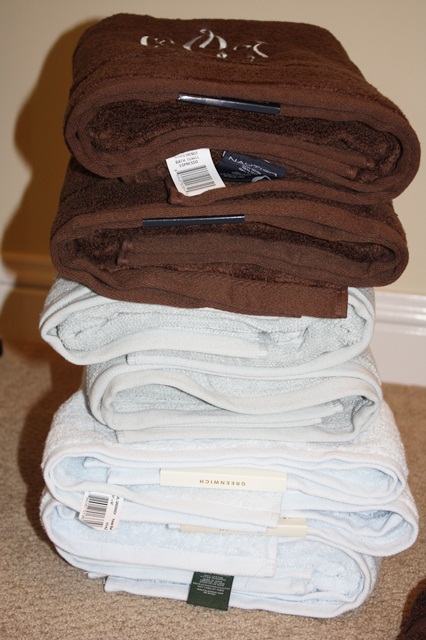
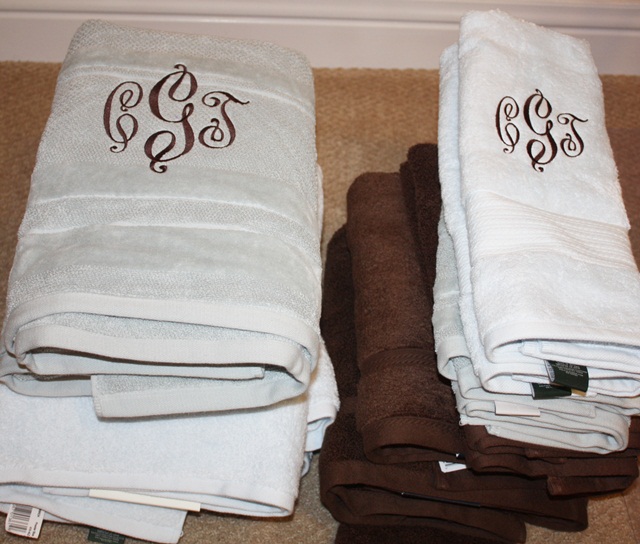
 Last night and today I have been monogramming 14 towels for my new sister in law. All the same font and 2 different colors so pretty easy, but time consuming! Luckily these are “set it and forget it” type items so I was able to multitask while they sewed.

This is Monogram Wizard Plus “Victor” font.

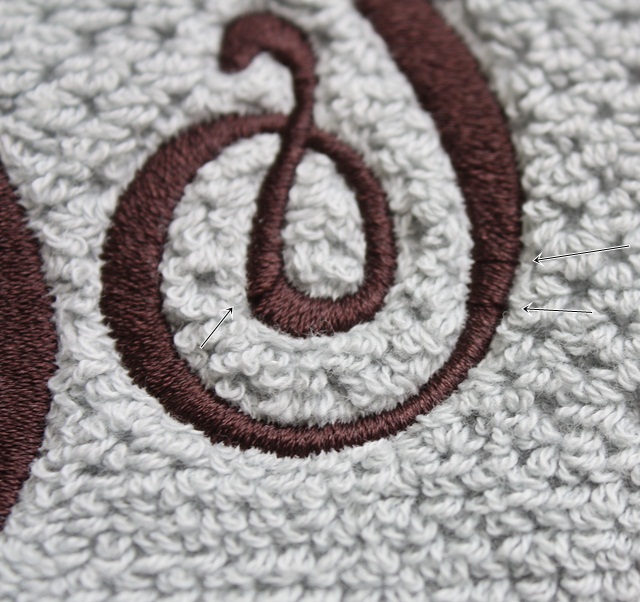
 I did have some trouble and I was so anxious to share this because I’ve seen this complaint a lot on one of the Facebook groups. You may have had this happen before? I did “FILL STITCH” on the towels and had trouble with some looping. After changing needles (literally replacing the needle), switching the thread to a different needle (on my 6 needle), cleaning my bobbin case AFTER changing my bobbin out and then doing a different color towel using different thread and having NO looping, I determined it was the spool of thread! I did a tension test and everything while trying to determine my problem.

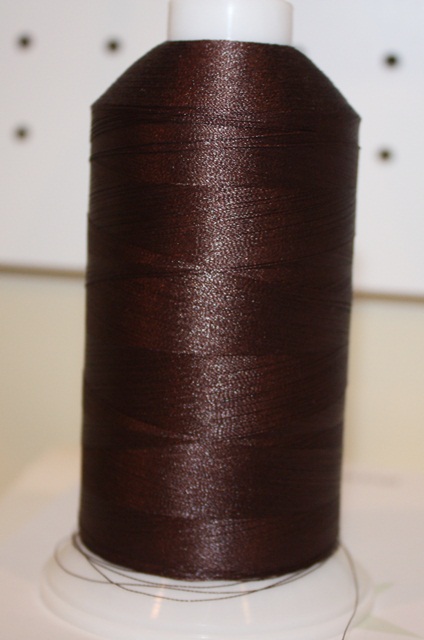
 This is a 5000M spool of thread (a brand I use ALL THE TIME). I noticed that as it was coming off the spool it was twisting some, so I honestly think it was the thread. Today I went to a local quilt store and found an Isacord 1000M spool in the same color and finished the towels without a single loop. So….. if you have problems with looping, it MAY be your tension or any of the other issues I ruled out, OR, it may be the thread. Maybe it wasn’t wound on the spool correctly? I don’t know, but I’m going to try it again with regular appliques or satin stitch and see if it just doesn’t like fill stitch monograms.

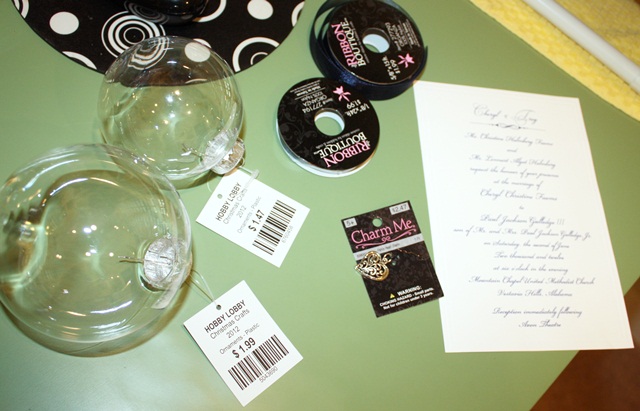
 Now on to my crafty segment! I have been on Pinterest forever. I’ve tried a few recipes and spend hours upon hours each week just checking who’s pinned what without every DOING anything. We are going to Birmingham tomorrow (Jeff & I) to shop a little and have lunch with Jeff’s bro and his new bride (whom I monogrammed all the towels for). Several months ago I pinned a Christmas ornament made with a wedding invitation. SO… I stuck their wedding invite in my drawer and finally today made the trip to Hobby Lobby to get my supplies. I got 2 different size ornaments because I wasn’t sure which size I needed. After trying the bigger one, I went with the smaller one and everything fit great! I’ll keep the bigger one for some other project. With sale prices and coupons I spent less than $7. These look glass but feel more like acrylic. Also, I bought them individually but they did sell them by the box as well and also in a few different shapes (great for vinyl).

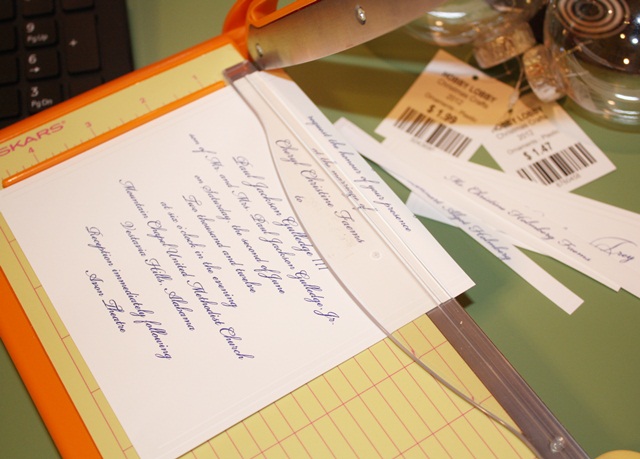
First I used my el cheapo Fiskars paper cutter I got from Walmart and cut the invitation in to strips as best I could, trying not to cut off any of the lettering.

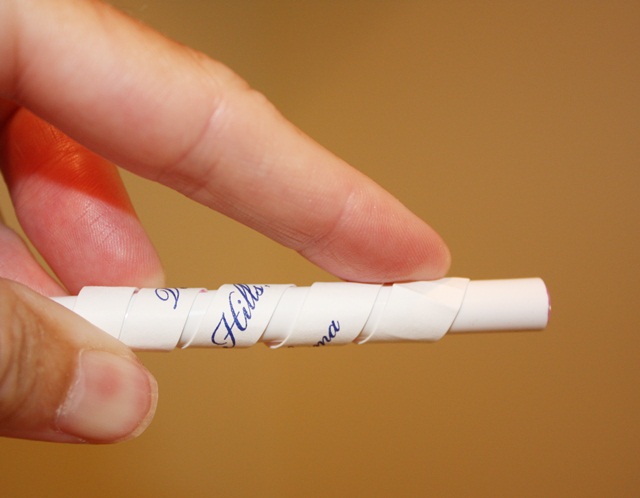
I then wrapped each strip around my (Applique Cafe) pen, making it curl.

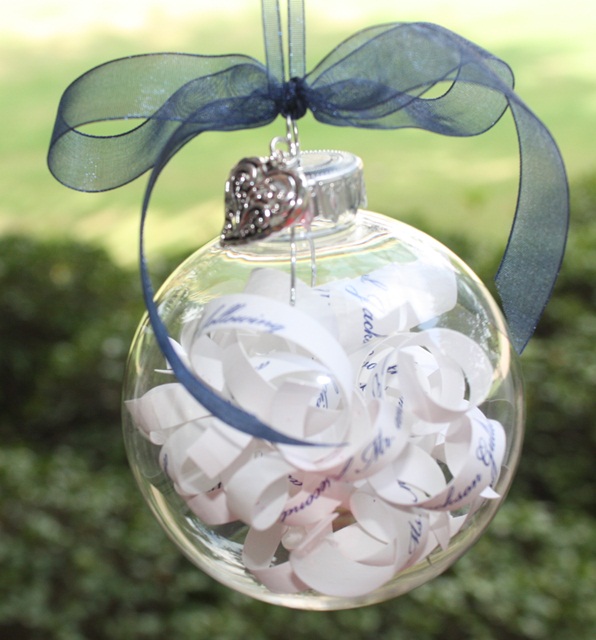
 I then just put each curled strip in to the ornament (the top pops off). I tried to place the strips with their name, etc where they would show. I put the top back on, attached the heart charm (the Pinterest photo used a sea shell) and then tied my ribbon on. I used 1/8″ navy organza ribbon for the hanger and 5/8″ navy organza ribbon for the bow. Their wedding color was navy, hence the navy ribbon. In the Pinterest photo she used white and cream ribbon. I honestly couldn’t remember while at Hobby Lobby whether the invitation was more white or cream, and then remembered NAVY was their color so I went with navy! Anyway, I thought this was a cute little personal gift and I hope they like it! Finally, all those hours on Pinterest paid off!

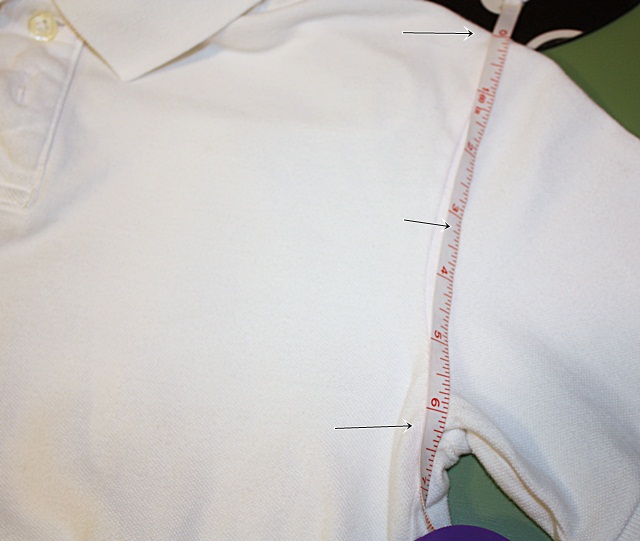
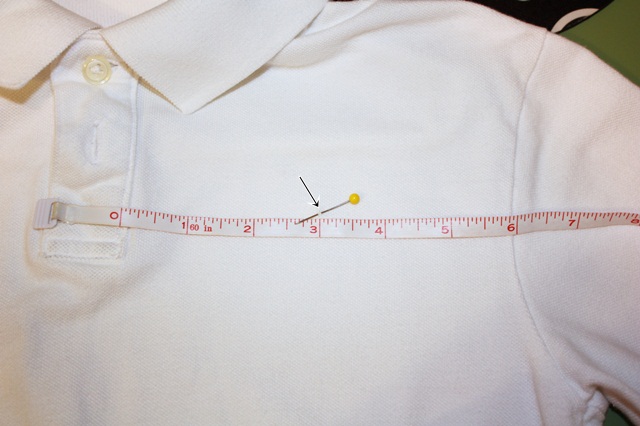
 As a follow up to my Mini Embroidery Design post, I have another technique to measuring your polo type shirts for mini or other designs. A blog reader emailed me her trick ~ she said she measures from the top seam of the arm down to the armpit seam. On my shirt it was a little over 6″. I then stuck a pin where the middle was and then measured from the button placket to there.

A pretty even 6″ so my initials or mini design would go where my pin is! This is a great “rule of thumb” for measuring and much more scientific than my post! Thanks for the tip!

I apologize for this post being all over the place! I guess a random post is better than no post! Have a great weekend!