New Raggy

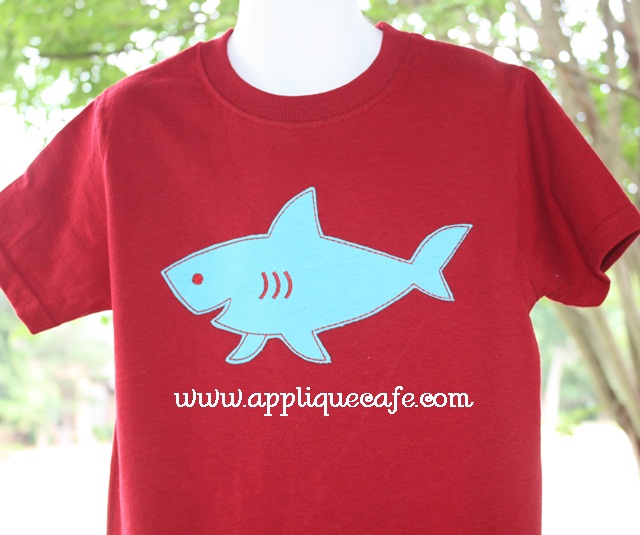
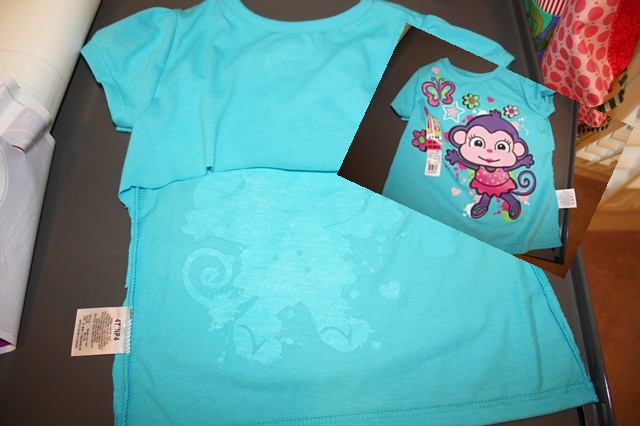
As a follow up to yesterday’s post, I finally got the “new raggy” shark tee out of the dryer and wanted to report that it washed (and dried) GREAT! Here’s the t-shirt I used (from Walmart). In hindsight it would be smarter to get a plain t-shirt in the biggest size you can find. That way you’d have more “knit” to use for other projects. I may get 1 more design out of this one if I’m lucky. Lesson learned. I might also go through the kids drawers and see if they have any old or stained tshirts I can use!
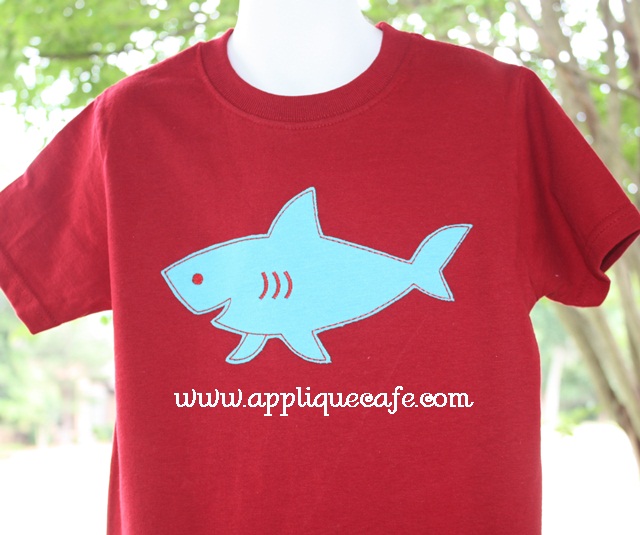
 Here it is again after I first appliqued the shirt. The red tee is a good ole Fruit of the Loom tee from Walmart as well.
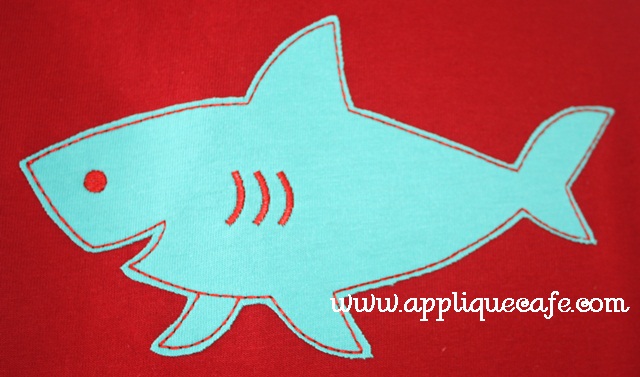
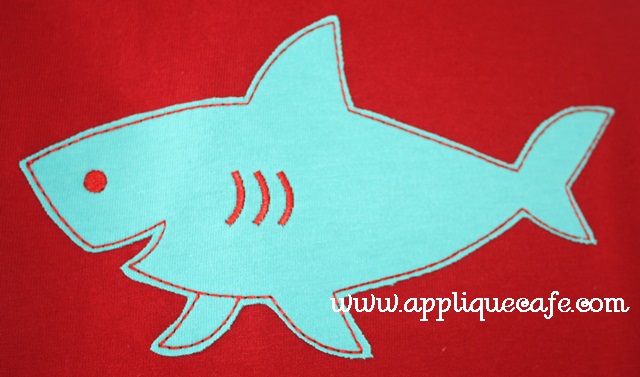
 Closeup ~ I trimmed pretty closely around the stitching. Don’t forget the Heat N Bond Lite on your applique fabric!! I would say without it, this might end not end up so well. Wonder Under might work too ~ any fusible product.
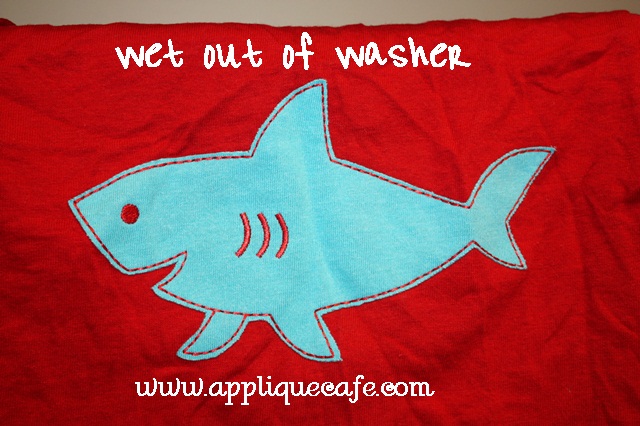
Here is the design right out of the washing machine last night. So far so good.
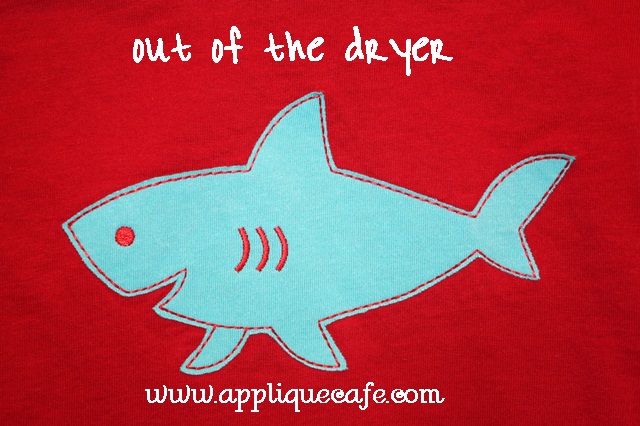
And out of the dryer earlier today. I did run the iron over it once. I have a bad habit of letting clothes sit in the dryer for hours or days after they are dry. Basically everything I washed with this tee is still in the dryer and may still be there this weekend. With 3 kids laundry is an every.day.task. I digress…
 In summary, I’m so thrilled with how this turned out and am anxious to do more designs in this fashion! We will be listing this version with our next batch of new designs! In case you didn’t know, I personally test Applique Cafe designs (usually 5×7 size PES format) and I wanted to be sure this washed OK before I start a new trend (HA!). Knit could be used with any of our raggy designs and my head is spinning with more I’d love to do!
What’s new?

As you all can imagine, life has been busy this Spring. We have LOTS going on each May and this year is no different. Jeff’s birthday was on the 8th, our triplet nieces/nephew’s birthday was on the 10th, Garrison’s birthday was on the 11th, our 11 year anniversary was on May 12th, Mother’s Day was on the 13th, Mallory’s very first dance recital was last night (14th), end of school program for the little ones is Friday the 18th (last day of school for them) and we close out the month next Friday (25th) with Browder’s birthday and also his last day of school. Then Memorial Day!! Is your head spinning? I actually finally feel like we are on the tail end of the craziness.

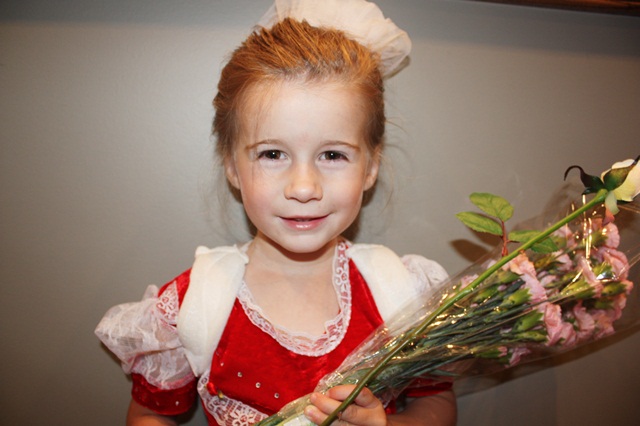
Here is Mallory last night with her flowers. Her costume was a cross between Russian princess and Christmas at Opryland! The girls were all precious and while I’ll never be a “Dance Mom”, I really enjoyed the (2 hour) recital and Mallory did great! If you missed the news on Facebook, she broke her collarbone last Tuesday night so yes, that is a brace on her shoulders. Sister fell out of the bed at about 4 AM. We got her back to sleep in our bed, but the next morning she was still complaining so I took her to the Pediatrician first thing. He sent us down the street for X-rays which revealed a broken collarbone. She gets to wear the brace for 3 weeks! Woo hoo!! Good times as we start summer playing outside, going to the lake/pool….! All in all she is doing wonderful!!

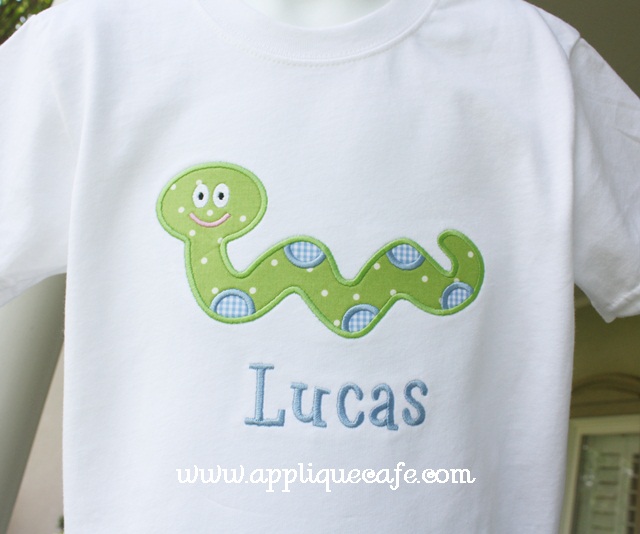
In all the wacky-ness, I’ve managed to get a little bit of work done. Here’s a sample Snake tee I sold yesterday with the name added. It’s amazing how adding a name can add so much to a shirt!

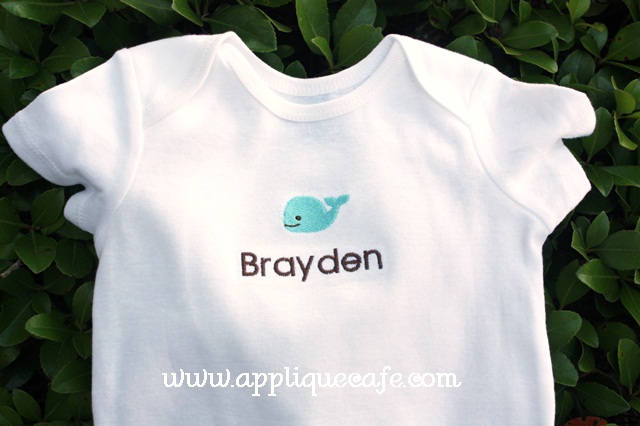
 I also sold this sample mini whale onesie and added the name. Mini embroidery designs are great for hats, polo (generic brand) shirts, onesies, etc.

 Here is a new technique I tried this week upon recommendation from a customer (thanks LT). It’s a raggy version of our Shark, and I used a cut up turquoise t-shirt as my fabric. I applied Heat N Bond Lite to the fabric and trimmed closely when I was done. The red shark tee is actually in the wash, so once I dry it I’ll report on how it held up. The girl who suggested this said hers washed great! I’m super excited to try this on some other designs, and I think this type applique looks great for older kids (boys especially). I got a cheap t-shirt from Walmart. In hindsight I should have gotten a PLAIN t-shirt, as I would have had more “fabric” to use for other projects. I also looked at Joann yesterday and saw some knit (t-shirt material) fabric there ~ mostly solid colors. Old t-shirts work great too! It seems like Chez Ami also sells knit fabric? I don’t know what the difference is in all the types of knit though??

 Here’s a closeup (duh). As you can see I trimmed pretty close. As I said, I used HNBL so it fused to the shirt and should NOT fray as much (raggy) since it has HNBL on it. If you ever pay attention at Walmart, Old Navy, (Boden?) etc. you probably notice this type design on their tees and onesies. Why I have not tried this before, I don’t know? Anyway, just something different to try! If my shark shirt dries OK, I’ll be listing this design and many others!

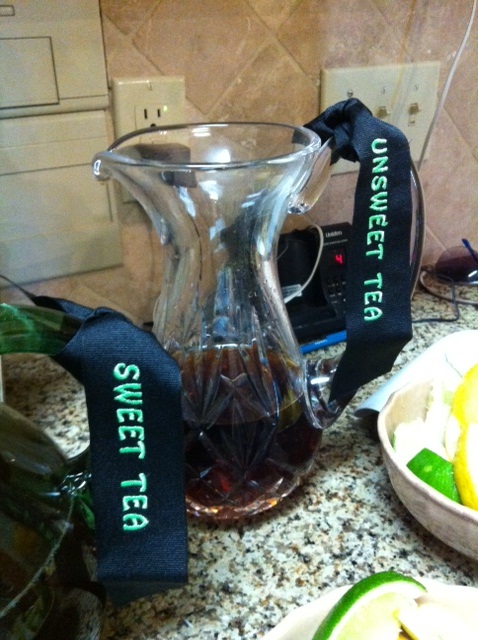
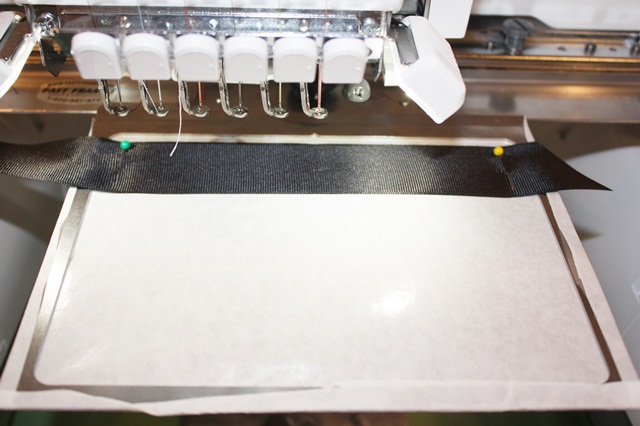
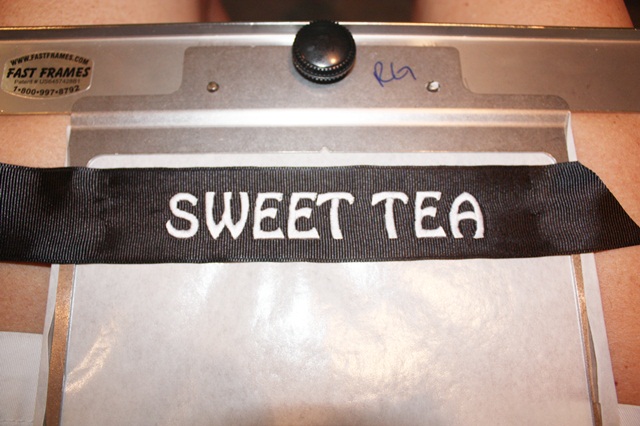
 I also posted on Facebook a while back that I saw these adorable tea ribbons at a wedding party at my sister in law’s house. I got some black grosgrain ribbon (1.5″) from Hobby Lobby last week (50% off of course) and finally tried it out. It was super easy!

 I’m using fast frames and sticky stabilizer, but you could also hoop sticky stabilizer. I did mark my center on the ribbon (but you can’t see the dot) and pinned the ribbon in place. I used Monogram Wizard Plus Bobo font and made each word (sweet tea and unsweet tea) .74″ tall. (SWEET TEA = .74″ tall X 4.74″ wide, UNSWEET TEA = .74″ tall x 5.87″ wide) I also wrote down how long I cut the ribbon, but there is no telling where that piece of paper is. I suggest getting out a pitcher and measuring it yourself depending on how you’d like to tie it on.

 I did these for the Director of G & M’s preschool and she wanted white thread. I burned the edges of the ribbon with a lighter, but you could also use Fray Check.

I have some more of these to do so I’ll try to post more detailed instructions when I do them (length of ribbon, etc).

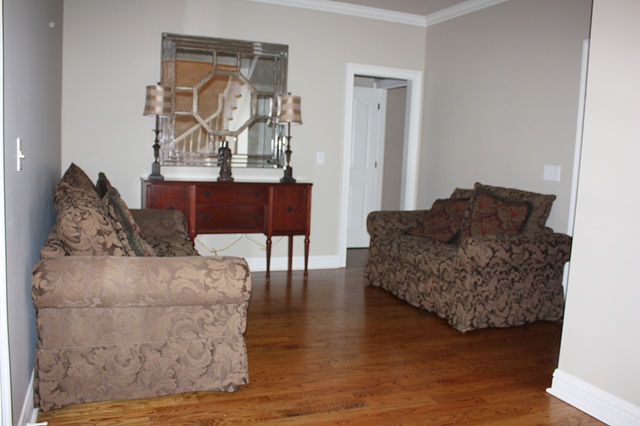
That’s about all we have been up to. We have been in our house a year July 4th weekend. If you came by you would think we moved in a month ago. My mission for summer is to get this house in shape. This is our DINING ROOM! We did finally get new den furniture, so the old got relocated to our dining room. It’s going to Birmingham hopefully in a few weeks. I’ve had this furniture since probably 1999, so it will be missed. Maybe one day we will get a dining room table…

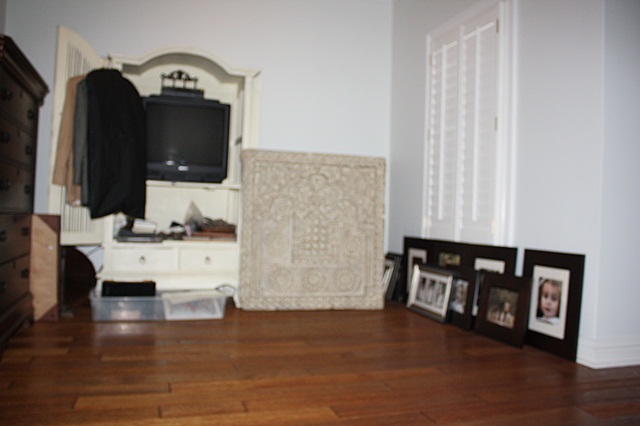
 This very bad picture is of part of our bedroom. All the things that one should hang on the wall when they move in a new house are piled here. The sad part is that I look at this every day, and every day it drives me CRAZY! And jest, it’s still there. I guess it’s not going to hang itself? No?

All this to say, I would love to get everything in order this summer! That’s is my goal!! You all know how long it took me to do the sewing room, so I need help and encouragement!! Or a double shot of espresso in my coffee! Have a great week!

Applique Cafe fans, we are currently having a SALE through Tuesday, May 22nd.

Brother PR650 Applique

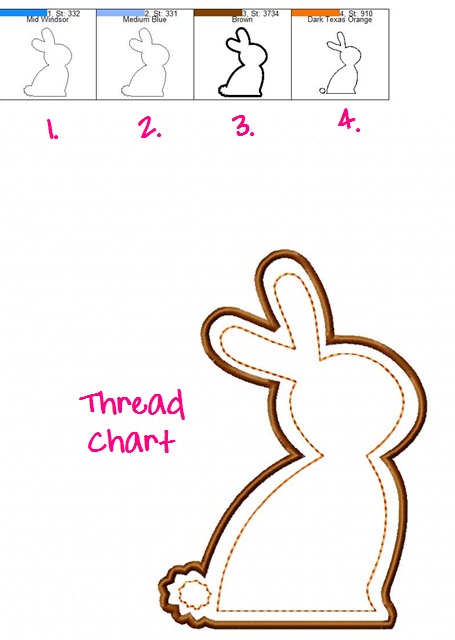
Here is my followup post on APPLIQUE on the Brother PR650. This is a simple (new) Bunny Applique Cafe design I sampled this past week. I get asked a lot by newbies if I include instructions on my applique designs. The answer is THREAD CHART! We include a thread chart which includes an image of each step. I ignore the thread colors because I am going to pick out whatever thread colors I want to use based on the fabric I pick out. You would typically use the same color thread for marking, tackdown & satin, but in digitizing, these colors MUST be programmed (digitized) differently. This tells your machine to STOP!

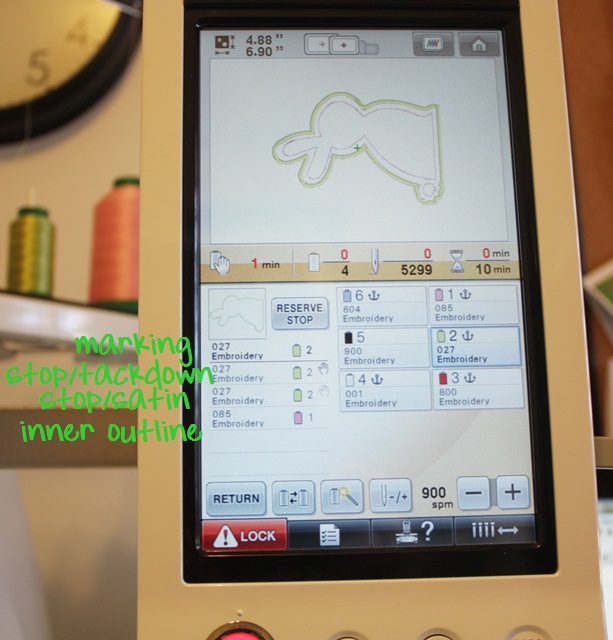
You see below 1. Marking, 2. Tackdown, 3. Satin and 4. Inner stitching on the bunny (which could be left off). This 3+ step process applies to all applique designs ~ 3 steps per fabric (marking, tackdown and satin). Then factor in eyes, nose, inner stitching like this, etc. 

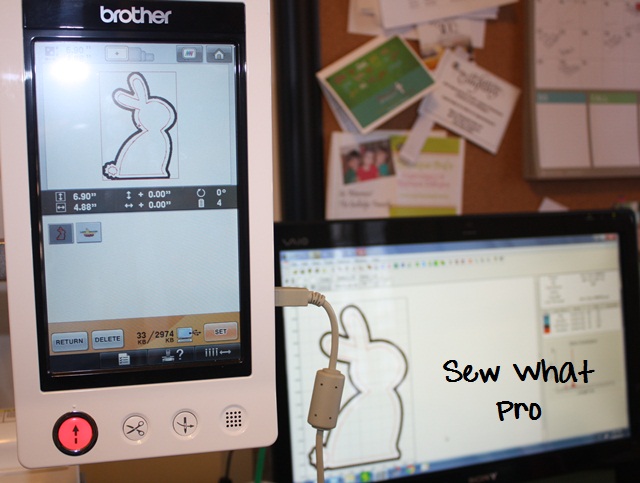
 Here I have saved my Bunny design on to my machine via the USB Cable connected to my computer (E:/ drive on my computer). As you can see, I use Sew What Pro on every single thing I sew! Even if I’m NOT editing or merging, I LIKE to see what I’m doing on my computer screen, so I always pull my designs up using SWP before I save to my machine. Note that the bunny is upright ~ later I will rotate it to the left so it will fit in my 5×7 hoop.

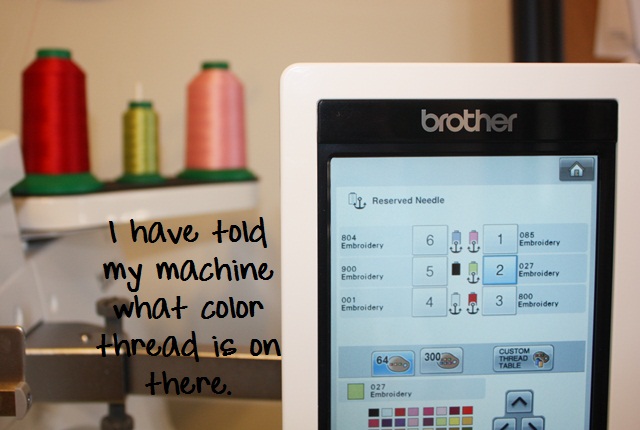
 I have chosen a green/white dot fabric for my bunny and I want to use a pink inner stitching on him, so I have put my colors on needle 1 (pink) and 2 (celery green). I have “told” my machine that I put pink and light green on it, as you can see I anchored these colors below on needles 1 and 2. This is how I was taught, so this is how I assign colors on my machine. Now my machine knows that light pink is on needle 1, lt green is on needle 2, red is on needle 3, etc. Needle 5 is black and is not anchored ~ the machine will only allow you to anchor 5 colors and the non-anchored needle is a free agent.

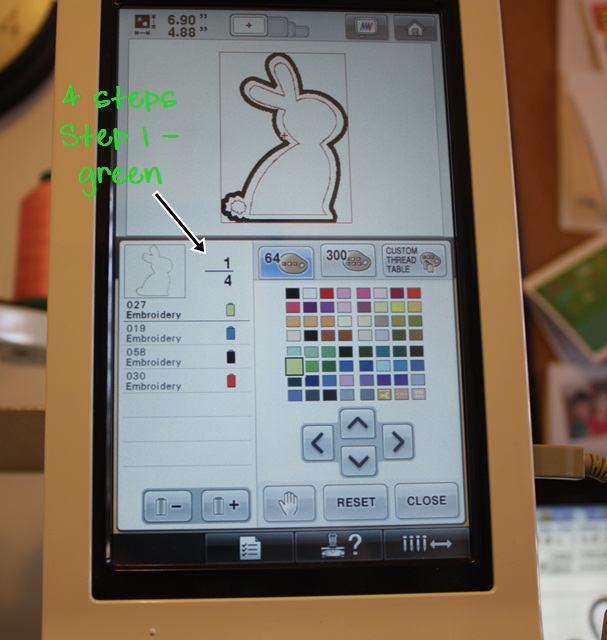
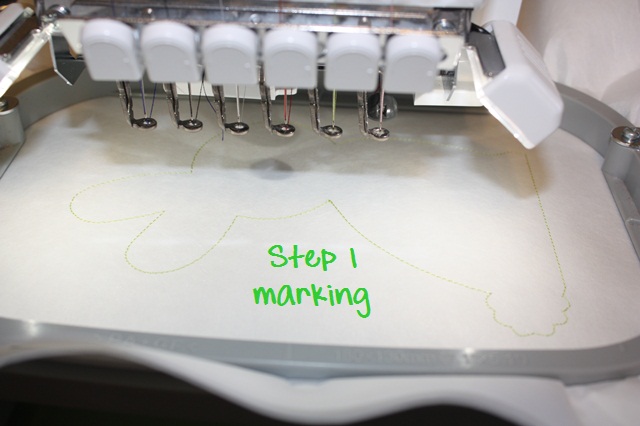
 Now we go through the steps to tell my machine which colors to use when sewing each step. Step 1, I assign the same light green color that I told my machine was on needle 2. Step 1 will be my marking stitch, which will be an outline of where my fabric should go (the shape of the bunny). I then press the “+” button to move on to step 2.

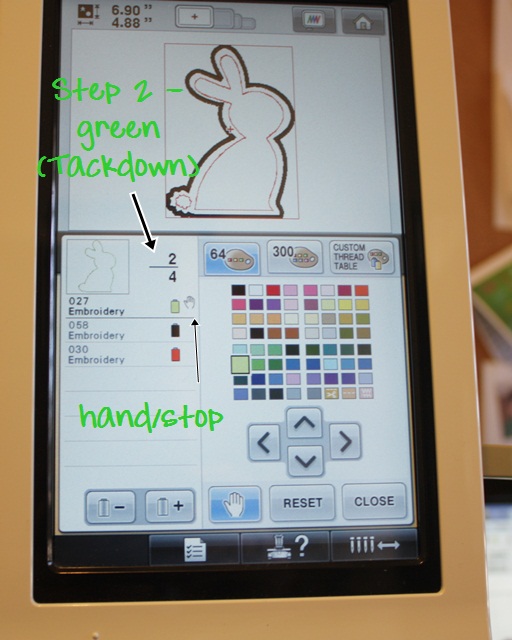
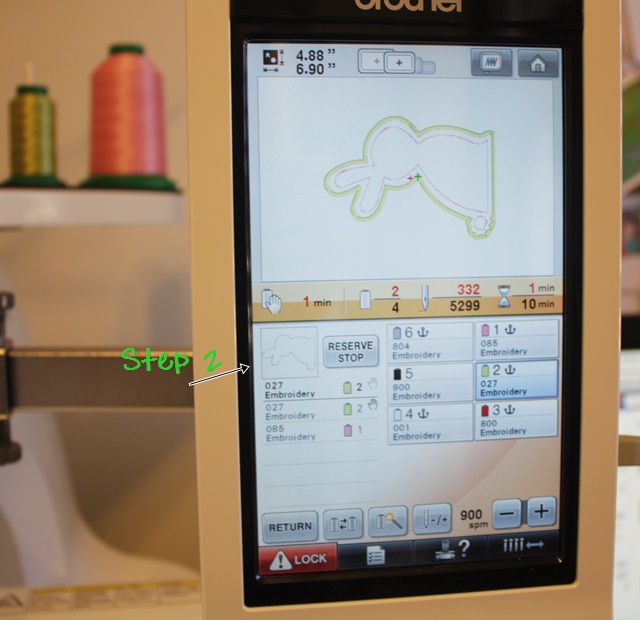
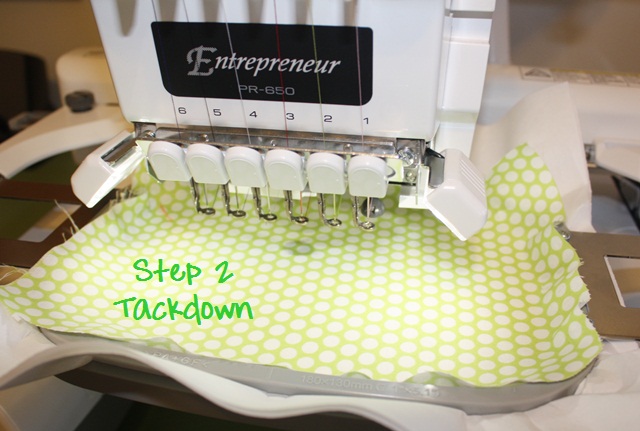
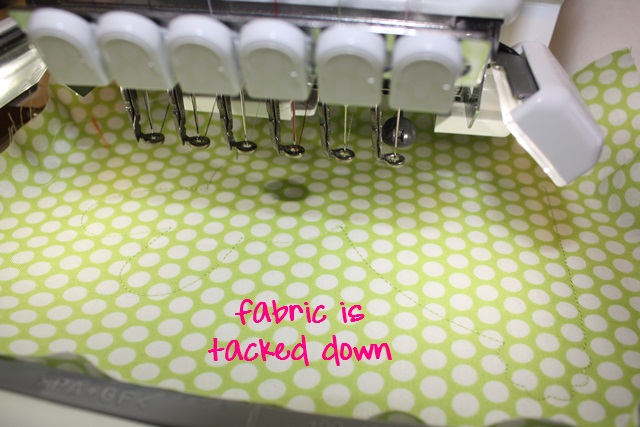
 Step 2 is tackdown and I want it the same light green as Step 1 and needle 2. Since I am laying fabric down before the tackdown stitch, I press the HAND, which tells my machine to STOP before step 2. This will give me time to lay down my fabric. I will then press the “+” again to move on to step 3.

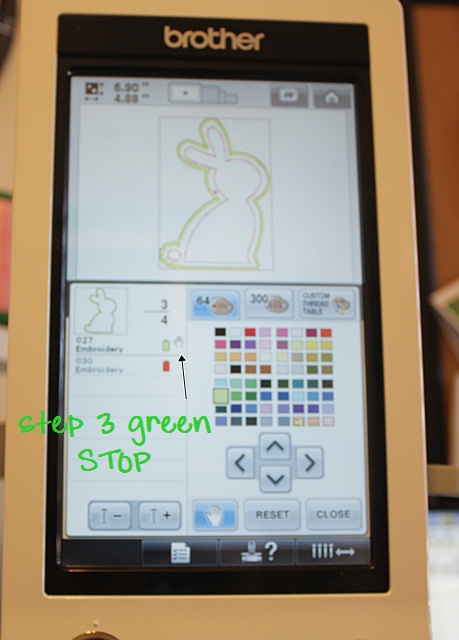
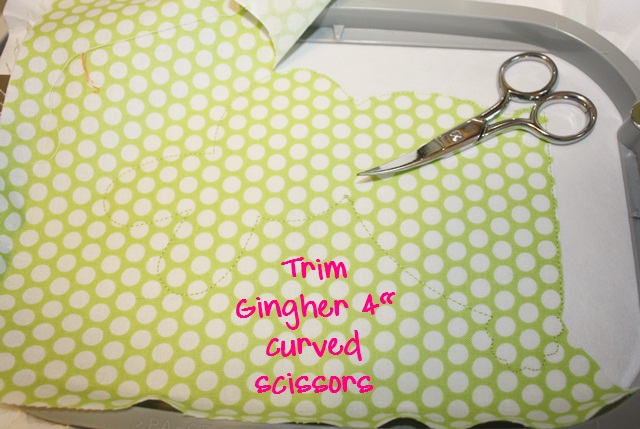
 Step 3 is our satin stitch, which is the finishing stitch around the design. I want it the same light green and since I’ll need to TRIM my fabric before the satin stitch, I press the HAND again which will tell my machine to stop before Step 3. I press the “+” button again to move on to step 4 (our last step).

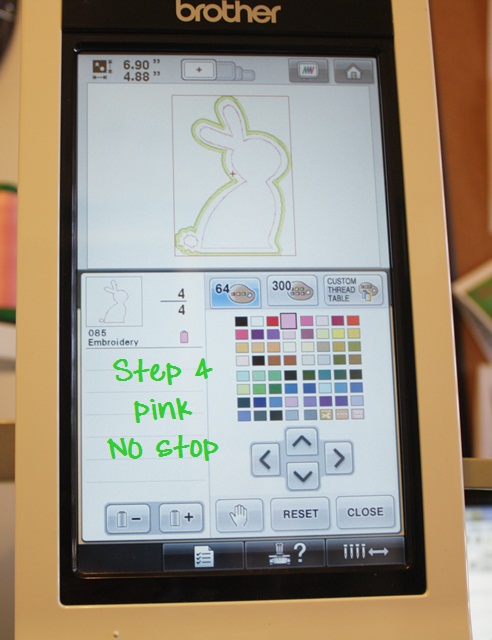
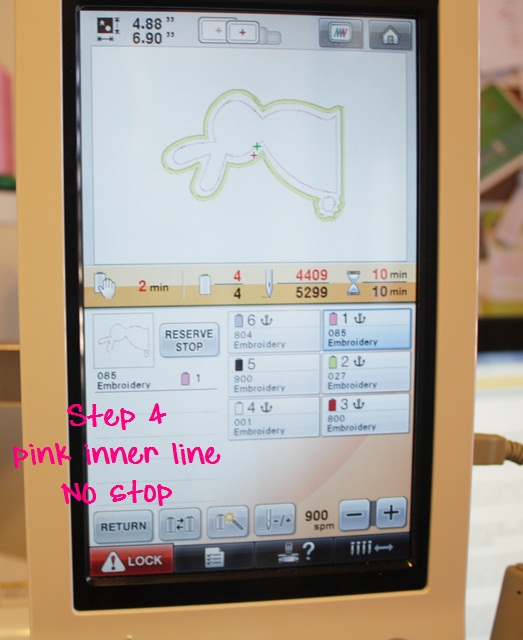
 Step 4 is the inner stitching on this design, and I chose light pink which I assigned to needle 1. Since there is no need to stop before this step, I do not press the hand, and my machine WILL NOT STOP after the satin stitch. It will change to needle 1 and stitch the pink inner stitching. *During this 4 step applique design, the machine will stop FIRST to let me place my fabric down and a SECOND TIME to let me trim my fabric.

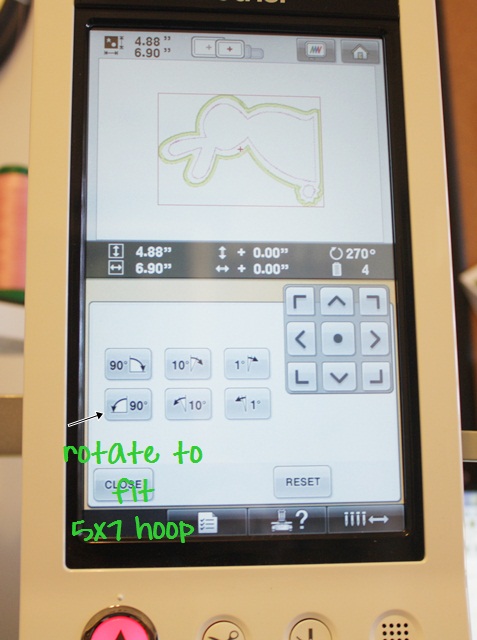
As you can see, the bunny is still upright and it’s showing it will only fit in my biggest hoop. Now that I’m done assigning colors, I can rotate it to fit my 5×7 hoop.

Press CLOSE after assigning colors! PS. This machine has a touch screen, so you simply press each color with your fingertip to assign the colors. I had a PR600 that was NOT touch screen, so you had to arrow up and down, left and right to get to the chosen color.

Now I rotate the design 90 degrees to the left so it will fit in my 5×7 hoop. As you can see, the design is 4.88″ X 6.90″. Press CLOSE when you are done rotating.

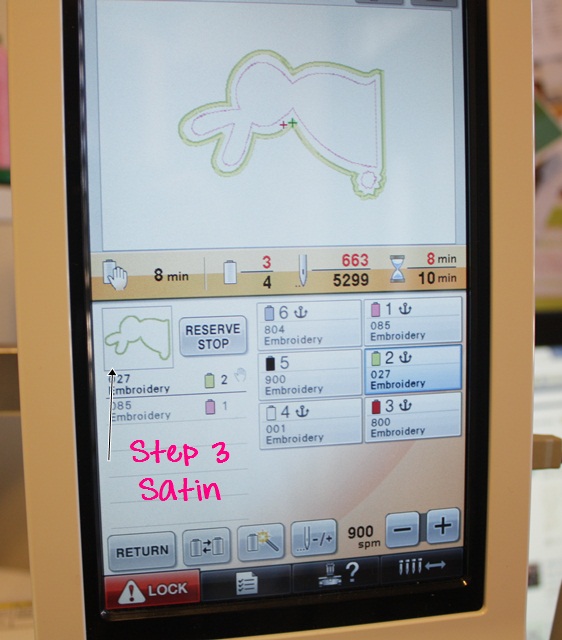
 You are now ready to SEW, so press the SEWING button (not shown). It will pull up this SEWING SCREEN. As you can see, this design is 5,299 stitches and should take 10 minutes of sewing time (does not include preparing fabric or trimming). My machine is set to 900 SPM (stitches per minute). The max is 1000. You can also see which colors are assigned to my machine (right side) and each step and the needle my machine will use to sew it (the list on the left). If I have accidentally chosen the wrong shade of green or pink, there will be a line on that step telling me I’ve chosen a color that is not anchored on my machine. It will default to the free needle (black) which is not anchored if I don’t correct it. If I’m paying attention, I will go in and fix this and select the correct color! I think the machine also beeps and says something as a warning.

Step 1 – needle 2 (green), STOP Step 2 – needle 2 (green), STOP Step 3 – needle 2 (green), Step 4 – needle 1 (pink). It will STOP before step 2 and 3, giving me time to lay my fabric down and also trim before the satin stitch.

Time to SEW! To sew each step, you press the LOCK button to unlock the needles (safety feature) and the button below it (which is red in the above photo) will turn green. You press it to start your machine. In the photo above you can also see other buttons: needle -/+ is your back up, go forward feature if you ever need to back up. You can back up or skip ahead by complete steps or by stitches (1, 10, etc).

As you can see, there is an image of each step on the machine sewing panel.

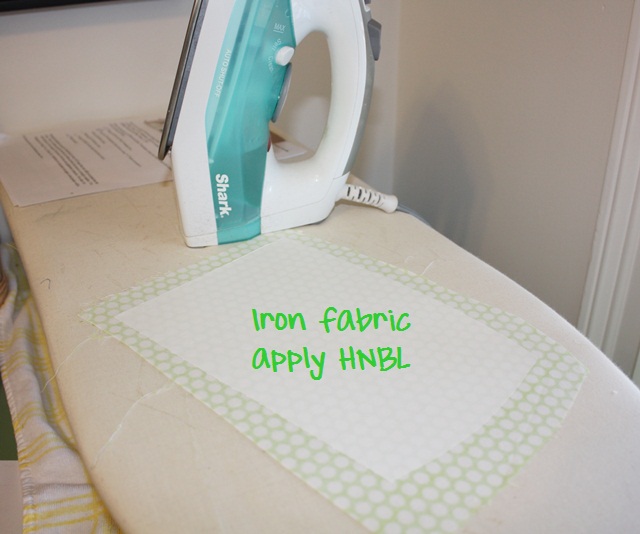
After marking I’m ready for fabric, which has HEAT N BOND LITE on it.

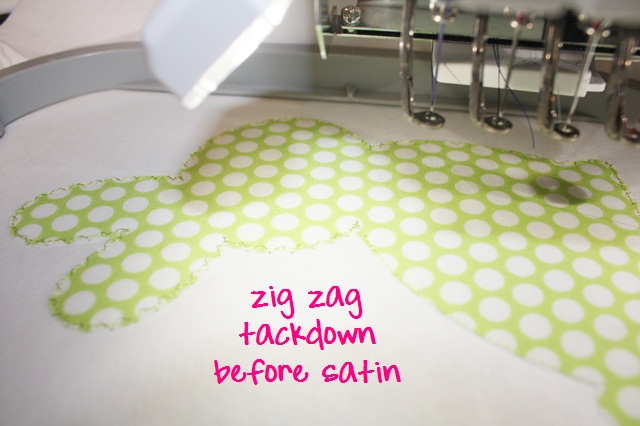
 Peel the paper away (of course) and lay down your fabric. The machine has stopped because you told it to (the HAND) before step 2 (tackdown).


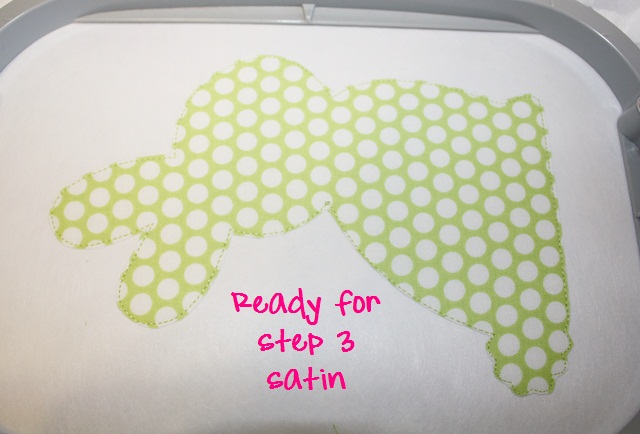
Ready for satin stitch (step 3) so time to TRIM. Your machine has stopped since you programmed the hand = stop before the satin stitch.


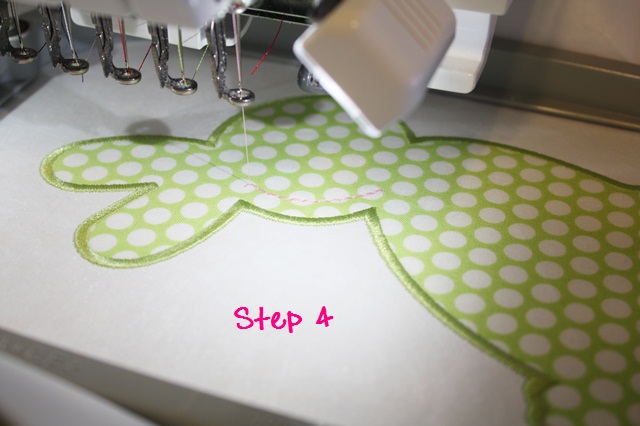
 Time for that inner stitching which I’m doing in PINK. My machine will not stop after the satin stitch since I did not program in the HAND/STOP, but will keep going with the pink inner stitching. ***This is a wonderful feature of any multi needle machine! When doing an applique, once all fabric is down, you can program your machine with the thread colors and it doesn’t have to STOP for you to change colors! If this bunny had eyes and a nose, it would keep on sewing, changing needles/colors automatically!


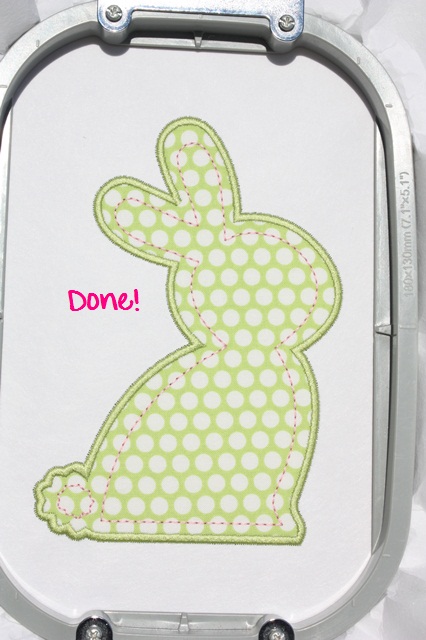
Here is the finished BUNNY!

 I hope this helps! It really is EASY and once you get the hang of it you can program all this in a matter of a few minutes. There are other features of the machine, but I don’t want to get too confusing. For example, if you are in the middle of the design and decide you want to use a different color, you can either 1. STOP the machine and change out the thread color on the needle you’ve programmed or 2. use the MAGIC WAND to change needles/colors. I’ll save that for another post!

This is a follow up to these posts: Brother PR650 and Brother PR650II. All of these posts can be found under HELPFUL POSTS on my blog tool bar.